
Your church directory.
Easier to keep current.
Keep households, people, photos and groups together. Give your church office one place to manage the records, review changes and prepare the directory you want to share.
People belong together.
Their records should, too.
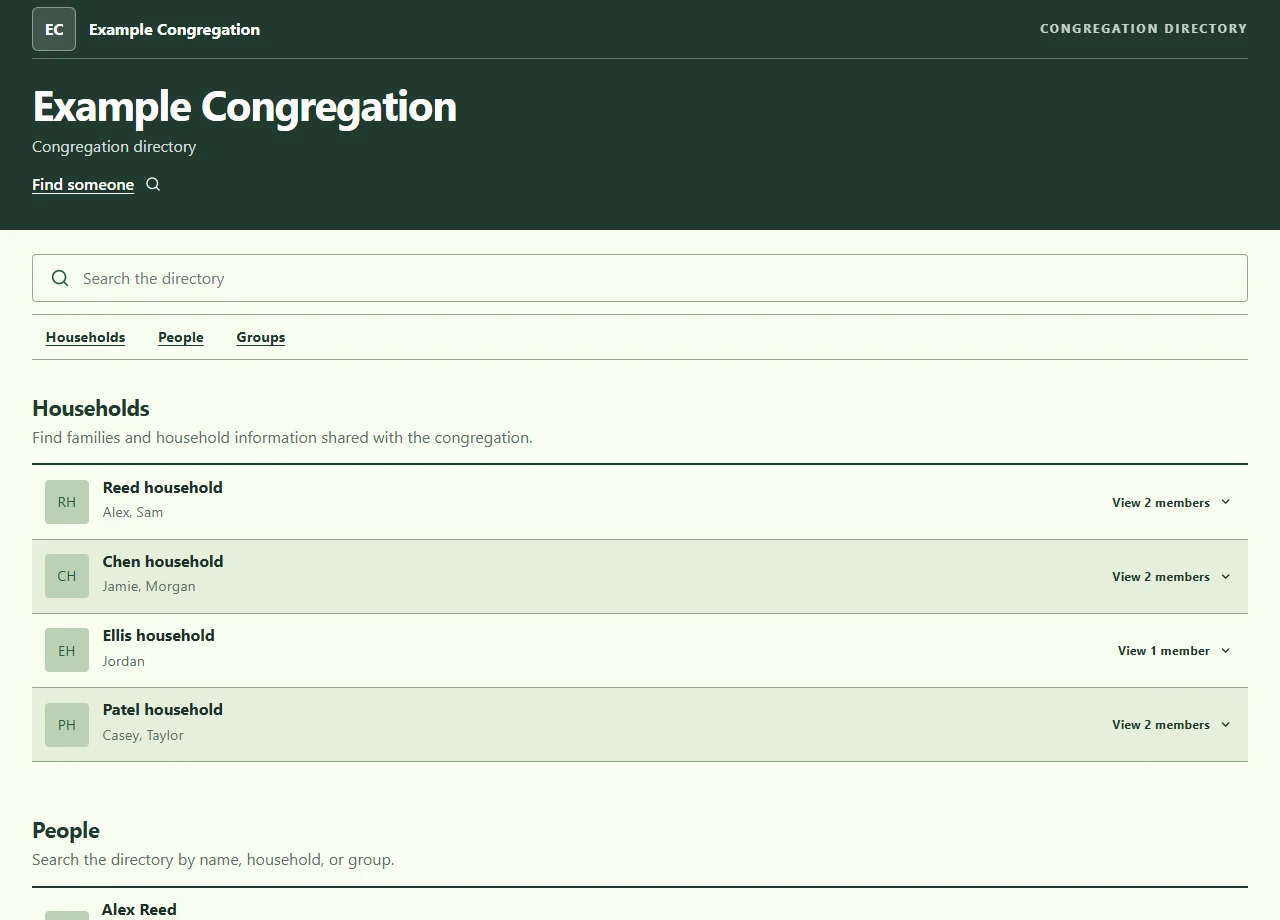
A family can appear as one household without losing each person's own details. Staff and group information sit alongside those records, rather than becoming another list to maintain.
- Households and members
- Connect people to their household. Keep names, preferred names, photos and contact details on the appropriate record, and choose which records are published.
- Staff and groups
- Present church staff with their role, photo and biography. Organize members into groups, with public groups for the directory and hidden groups for internal use.
- Searchable online directory
- Find people, households and public groups by name. Choose from four directory layouts and configure the sections and fields your congregation sees.
- Photo collection
- Keep household and individual photos with the right records. Staff can send a member a photo-upload link, then review the submitted image before adding it.
Let families help.
Keep staff in control.
A new household, a correction or a missing photo should not mean rebuilding the directory. Enable requests so people can send proposed changes while staff make the final decision.
Send a request
New households can submit their details. Changes to an existing household require verification tied to that household.
Review the details
Staff check the proposal, adjust it if needed, and approve or reject it. Submitted information does not publish itself.
Keep the record current
Approved changes update the directory records. Generate the next printed edition from those records when you need it.
Decide what belongs in public.
A church office may need details that should not appear on a website or in a shared PDF. Publication settings and report audiences let you make those choices deliberately.
- Public directory
- Publish selected records and enabled fields. Individual and household contact-privacy settings can hide contact details without removing the whole profile.
- Limited directory
- Show names and household relationships while withholding personal contact fields, photos, birthdays and other restricted details from the public view.
- Private records
- Private mode keeps member records out of the public directory. This mode does not create a password-protected member browsing area.
- Reports for the right audience
- Congregation reports follow publication and privacy choices. Staff-only reports can include private contact information when staff select it.
Still need a printed directory?
It comes from the same records.
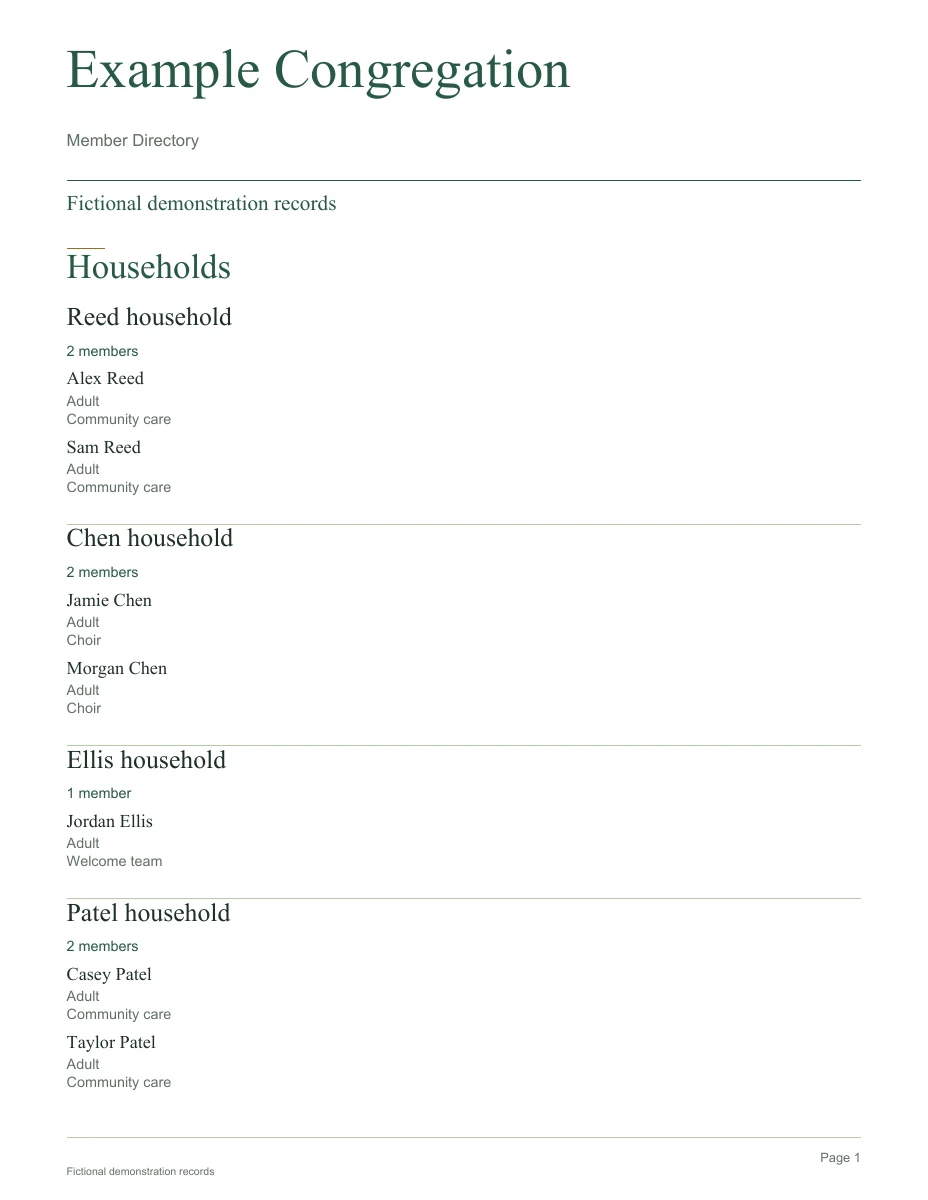
Create a full member directory or a report for a particular group. Add an alphabetical quick reference, choose a cover, and include birthday or anniversary pages where appropriate.
Choose the audience before generating. A directory for the congregation and a staff contact report do not need to share the same information.
Open the sample PDFUse it with the website you already have.
The directory can have its own hosted page, sit inside an existing website, or be embedded in WordPress using our shortcode plugin. The records stay in the directory system; the WordPress plugin displays that directory rather than keeping a second member database.
Set up your church name, colors, sections and layout, then decide where the directory should appear. A new website is not required. If your current site needs work as well, we can discuss website design alongside the directory.
Start with the records you have.
Already using a spreadsheet? The Excel import template separates households, members and groups. Preview the import and resolve matching problems before committing changes, rather than discovering duplicates after publishing.
- Review the starting point. Tell us how you currently store member details, roughly how many people are included, and who maintains the directory.
- Choose the boundaries. Agree what is public, what stays with staff, how requests are reviewed, and which website or print outputs you need.
- Check before sharing. Review imported records, test requests and generate a sample PDF before making the directory available.
A few things worth asking.
Can members update their own details?
They can propose changes when requests are enabled. Existing-household changes require household-specific verification, and staff review the proposal before it is applied. This is not unrestricted editing of the live directory.
Can we keep contact information off the website?
Yes. Choose a limited public view, hide contact details on selected records, or use private mode to withhold directory records from public pages. We review the publication settings and report audience with you during setup.
Can we use it on our current WordPress website?
Yes. Our plugin uses a shortcode to embed the hosted directory. It does not copy the records into WordPress or automatically connect WordPress accounts to member records.
Can we import our existing list?
The system accepts Excel workbooks using the household, member and group template. Imports have a preview step. We review your existing fields and matching details before planning a transfer from another system.
Can we print just one group?
Yes. Generate a group PDF rather than the full directory, with an optional alphabetical reference. Staff choose the audience and whether private contact details belong in a staff-only report.
How much does a directory setup cost?
Tell us the size of your directory, the condition of your existing records and how you want to share it. We will confirm the setup, member capacity, photo storage and pricing with you before you decide.
Let's put your directory in order.
Tell us about your congregation, your current list and who will look after it. We can work through the online directory, privacy choices and printed reports you need. You do not need to send member records with your first enquiry.